Showing posts with label Antivirus. Show all posts

Sunday, 12 February 2017

Aplikasi Nonton Bokep di Android = Phishing

AKU JADI KETAGIHAN MESUM GARA-GARA NONTON RIBUAN VIDEO NGENTOT DISINI KAK.
Kalok kkak gag pcaya cobain pasang APLIKASII KHUSUS NONTON B0KEPP ini. 
aku jamin kkak bakalan ketagihan dah mesumnya kayak aku.
aplikasii ini menyimpan ribuan video ngentot dari seluruh dunia, kreen kan kkak...!!
di aplikasii ini juga kkak bisa mnonton b0kepp secra streaming looo.!!aplikasii ini juga tidak memakan kuota banyak kkak.
cuma 5MB kkak sudah bisa dapatin aplikasii ini.
ketimbang kkak nyari di youtube udah gag ada apliaksii b0kepp secanggih ini, dan aplikasii ini tidak ada di playstore.
Silahkan yang mau Download aplikasii b0keppnya, langsung saja ikuti petunjuk di bawah : 
1. Buka aplikasii browser Android kalian (pakai UC Browser biar lebih cepat,Internet, Chrome,dll)
2. Masuk ke => www.ykm*de/sex62 (ganti tanda bintang * menjadi titik)
3. Hanya Aplikasii ini yang mampu membuat anda tidak kena blokir
ingat kkak(GAK ADA DI PLAYSTORE) hanya disini kkak bisa download aplikasiinya gratisssss....
kesempatan tidak datang 2 kali :) langsung sikattttt kkak keburu kriman ini dihapusss.


Paragraf di atas adalah contoh phishing yang disebar melalui facebook. Ketika kita masuk ke alamat www.ykm*de/sex62 sesuai petunjuk di atas, kita akan dibawa ke halaman:

phishing bokep

sekilas tampilannya memang tampilan facebook. Apabila kita buka di android rawan sekali tertipu karena alamat aslinya biasanya tidak terlihat di androis. Alamat aslinya adalah http://gilainfo.net/af2/Index.html

Orang yg hobi bokep bisa jadi tergiur memasukkan username dan password facebooknya, karena ada kalimat Anda akan mendownload konten dewasa.
Silahkan Login untuk memastikan Anda tidak di bawah umur
Setelah itu akhirnya akun facebooknya dikuasai hacker.  

Selanjutnya alamat di atas saya laporkan ke CS Emsisoft Anti Malware. Setelah diupdate, akan muncul warning seperti gambar di bawah oleh Emsisoft Anti Malware.


diblokir


Sunday, 6 March 2016

PHisHing di Facebook! Lagi

Sering sekali pengguna facebook tertipu dengan mengklik link tipuan yang dibuat hacker. Link itu misalnya link video porno atau link berita2 heboh yang bikin penasaran orang yang melihatnya.

Ketika di klik muncul halaman yang meminta username (email/no telp) dan password (kata sandi). Pengguna yang penasaran dan ingin melihat video porno atau berita heboh itu tanpa pikir panjang akan memasukkan username dan passwordnya, lalu login. Kena tipu lah dia. Akunnya pun dikuasai hacker, dan siap memposting link link tipuan lainnya.


Contoh pagi ini saya temukan di gambar 1. Lihat alamatnya bukan alamat asli facebook.

link facebook tipuan


Selanjutnya gambar 2, alamat itu diblokir oleh Emsisoft Antimalware karena sudah dikenali sebagai phishing!

link tipuan phising site


Download Emsisoft AntiMalware untuk PC: klik Download disini.


Wednesday, 27 January 2016

Awas ada Facebook Berwarna!

Di antara anggota grup yang saya ikuti, ada satu akun yang membagikan informasi bahwa kita bisa merubah tampilan facebook menjadi berwarna. Tidak melulu seperti tampilan khas facebook hingga hari ini: biru putih. Informasi itu disertai satu alamat web yang sudah disingkat dengan bantuan google shortener link.

Ketika saya buka alamat web itu, saya di bawa ke halaman berikut:

facebook berwarna tipuan

Tampak tampilannya rame sekali dengan warna warni. Lengkap dengan ucapan selamat: Selamat Datang di Facebook 2013 Mobile, Ubah Facebookmu jadi Berwarna. Hehe... Padahal sekarang sudah tahun 2016. Kelihatan sekali mau nipu.

Coba lihat alamatnya bukan https://www.facebook.com sebagaimana mestinya. Alamat tampilan di atas adalah di  http://ampleur.international/a/ . jelas sekali bahwa ini adalah satu phishing site. Tujuannya untuk menipu para pengguna facebook. Pembuat phishing dapat mengumpulkan data korban, mulai dari username dan password pengguna facebook. Dan seterusnya entah apa tujuan berikutnya. Yang jelas bahwa ini adalah penipuan. So, jangan mau tertipu dengan model beginian.

Saya coba klik "masuk" tanpa memasukkan email atau telpon dan password. Ternyata bisa! Saya dibawa ke halaman facebook beneran yang sebelumnya sudah diderect dari Fb berwarna tipuan tadi : https://m.facebook.com/home.php?hrc=1&refsrc=http%3A%2F%2Fampleur.international%2Fa%2Fnext.php&_rdr

Nah, seandainya saya memasukkan username email atau telpon dan password, maka otomatis data akun saya sudah masuk ke dalam data pelaku phishing. Akun saya sudah bisa dikontrol si pelaku dengan mengirim link link jebakan baru. Atau bahkan data penting lain bisa raib. Waspadalah!

Selalu lah update antivirus Anda apabila online menggunakan PC atau laptop. Apabila ternyata antivirus Anda masih belum mendeteksi phishing site ini, sebaiknya Anda segera laporkan ke bagian submission malware atau phishing site Antivirus bersangkutan.

Contoh, saya menggunakan Emsisoft AntiMalware, sehingga untuk kasus saya ini telah saya laporkan pada bagian support Emsisoft. Saya laporkan dua hari yang lalu, yakni tanggal 25 Januari 2017. Pada hari itu juga laporan saya mendapat tanggapan dari pihak support Emsisoft. Pada hari itu juga Emsisoft AntiMalware sudah menandati alamat facebook berwarna itu sebagai phishing dan memblokirnya:


facebook berwarna


Nah, bagi Anda yang menggunakan AntiVirus lain silakan dilaporkan ya ke CS Antivirusnya. Atau kalau mau mencoba Emsisoft AntiMalware bisa langsung didownload di link: Download Emsisoft AntiMalware terbaru gratis!


Friday, 15 January 2016

Mengatasi Link Video Porno di Facebook

Apabila ada posting link dengan konten video porno di Facebook (FB), sebaiknya jangan diklik. Apalagi Anda menggunakan aplikasi Facebook di Android. Rawan sekali akun facebook Anda dihack oleh orang jahat.

Setelah nge klik link video porno (palsu) biasanya ada form memasukkan usernama dan password FB. Tampilannya persis tampilan FB, padahal bukan. Itu namanya Phising.

Setelah korban memasukkan username dan password, si hacker dengan leluasa mengontrol akun Fb korban dengan mengirim link link jebakan lainnya.

Berikut dua contoh phishing yang saya temukan dari salah satu grup FB:

Pertama, Ketika saya klik link yang dibagikan, saya di bawa ke halaman berikut:

phishing fb

Kita lihat tampilan di atas mirip sekali dengan halaman login FB. Seolah-olah kita yang ngeklik tadi diminta harus memasukkan email or phone dan password agar bisa membuka video porno. Tetapi coba perhatikan alamat URLnya adalah: http://1memy.9tech.info/m2/ , bukan https://www.facebook.com. Inilah yang namanya phishing. Jangan coba-coba memasukkan email or phone dan password lalu klik Log In.

kedua, ketika saya klik saya di bawa ke halaman:

phishing fb 2

Tampilan halamannya juga sangat mirip tampilan Facebook, tetapi alamatnya lagi-lagi beda. Alamat URL nya di http://bravetinys.com/play1/.

Sekali lagi jangan coba coba masukkan username email or phone number dan password lalu Login.

Dugaan saya korban adalah orang yang memang ingin nonton video porno dari link link jebakan tadi. Lalu mau saja memasukkan username email or phone number dan password lalu Login. Korban tidak tahu kalau dia dijebak. Kasihann...

Sebenarnya kalau hanya klik tidak apa-apa. Seperti saya hanya klik tidak masalah.
Selanjutnya karena saya menggunakan laptop, jadi mudah melihat alamat URL nya apakah asli facebook atau tipuan. Nah, ketika sudah diketahui bukan facebook.com langkah selanjutnya adalah melaporkan website phishing itu ke antivirus atau antimalware yang saya gunakan agar diblokir.

Hanya sanya kalau menggunakan Facebook untuk android agak susah melihat apakah URL asli atau bukan. Oleh karena itu waspadalah pengguna Android! hehe

Update:

Saya menggunakan Emsisoft AntiMalware, antivirus ini terbukti ampuh. Buktinya setelah beberapa saat saya laporkan, kedua alamat phising diatas sudah diblokir:

Link phishing pertama diblokir:

emsisoft ok


Link phishing kedua juga diblokir:

emsisoft antimalware

Silakan dicoba pake Emsisoft Antimalware: sekarang sudah versi 11 Dual Engine: Emsisoft + Bitdefender engine. Keren bro. Download Link Emsisoft AntiMalware.

Wednesday, 17 June 2015

Tes Deteksi Antivirus pada Android

Kali ini saya melakukan ujicoba deteksi virus atau malware untuk sistem Android Kitkat. Ponsel yang saya gunakan New Andromax G2 besutan Smartfren. Antivirus yang saya ujicoba adalah

  1. Eset Mobile Security
  2. Dr Web Antivirus Mobile v. 9 Light
  3. CM Security plus Applock (Clean MAster Security)
  4. Avast Mobile Security  
Sampel yang saya gunakan ada 6 yang saya dapat dari forum malwaretips.

Berikut hasilnya

Andromax G2 sudah terinstal Eset dan CM Security. Ketika sampel diekstrak di penyimpanan eksternal (kartu SD), baik Eset maupun CM Security keduanya tidak mendeteksi adanya ancaman (threat).

Setelah dilakukan scanning device dengan Eset, dideteksi 5 threat.

eset mobile security
Hasil scan dengan eset mobile security


Sedangkan ketika dilakukan pindai kartu SD dengan CM Security didapat 3 ancaman (threat)

Cm Security test
Hasil Scan CM Security


Selanjutnya setelah diinstal Dr Web Antivirus Mobile v.9 Light, ketika sampel diekstrak Dr. Web Mobile sesaat langsung mendeteksi adanya ancaman. Sebanyak 5 threat ditemukan.

Real time DR. Web
Real Time Detection Dr. Web Mobile
Pun ketika dilakukan pemindaian (scan).


DR WEb Mobile
Hasil Scan Dr. Web


Ketika dilakukan scan dengan Avast Mobile Security, didapat 5 threat.

Avast Mobile Security
Hasil Scanning Avast Mobile Security


Memang, sistem android lebih terjaga dari virus ketimbang sistem PC Windows, namun tidak salahnya jika Smartphone Android kita terinstal antivirus, yang mana yang Anda sukai?


Thursday, 17 April 2014

Giveaway Of F-Secure Internet Security 2014 For 3 Months

F-Secure Internet Security 2014 is the best protection for your computer and online life! It protects your digital content and you with real-time protection against malware, hackers and identity theft. All of your online transactions are secured with banking protection, and you and your children are protected against harmful and unsavory web sites.

F-Secure Internet Security 2014 For 3 Months


Working as your own personal security guard, Banking Protection will protect your banking transactions are safe and private. And you do not need to worry during online banking sessions.

Game Mode of F-Secure allows your computer to use its full power for gaming, making sure you get consistent performance without having to turn off your security.

Main Features of F-Secure Internet Security 2014:
  • Cloud-based protection
  • Worry-free surfing
  • Safety for your children
  • Secure online banking
  • Exploit Protection against malware
  • Always up-to-date
  • Read more here: http://www.f-secure.com/en/web/home_global/internet-security
Giveaway info: Download and install the installer of the trial version with 3months FREE!
 
Link: http://download.sp.f-secure.com/SE/Retail/installer/2/F-SecureNetworkInstaller_GRATISANTIVIRUS-IS_.exe

 
Supported OS: Windows 8.1 / 8/7 / Vista / XP 32 & 64-bit
More details read here: http://www.comss.info/page.php?al=F_Secure_Internet_Security_2014_3month
Source: http://www.techtiplib.com

Wednesday, 9 April 2014

Lisensi Gratis Bitdefender Internet Security 2014, Asli!

Bitdefender asli
BitDefender adalah salah satu software antivirus terbaik di dunia. Mesin anti -virus inti dan database signature yang digunakan oleh sejumlah suite yang terkenal anti - malware lainnya seperti F -Secure , G Data, BullGuard , Advanced SystemCare Ultimate , dll. BitDefender Internet Security adalah produk yang mampu dari BitDefender . Ini all- in-one suite keamanan memberikan perlindungan proaktif komprehensif terhadap virus terbaru , spyware dan pencurian identitas online dalam , paket intuitif yang mudah digunakan yang tidak akan memperlambat Anda - memungkinkan Anda untuk menikmati pengalaman online Anda tanpa mengganggu .


BitDefender Internet Security mengkapitalisasi pada deteksi perilaku berbasis hidup dan virtual , di samping layanan berbasis cloud , untuk menghentikan muncul e - ancaman bahwa produk lain yang terlewatkan . Produk ini memenangkan "Best Antivirus 2013 " diberikan oleh PC Magazine , mengalahkan persaingan dengan memiliki skor keseluruhan tertinggi dalam perlindungan , perbaikan dan kegunaan .

BitDefender Internet Security 2014

Versi terbaru , BitDefender Internet Security 2014 terus membangun sejarah BitDefender tentang perlindungan atas dan kinerja , kemudahan penggunaan, dan pengalaman pengguna yang unik . Ini mengintegrasikan antivirus , antispam , antiphising , dua arah firewall , dan perlindungan jaringan sosial ke dalam solusi keamanan yang sempurna diam bagi keluarga yang tersambung ke Internet . Plus, The New BitDefender sekarang secara eksklusif mengintegrasikan teknologi inovatif ( BitDefender Foton ) yang tampak meningkatkan kecepatan dan kinerja dalam hitungan jam secara bertahap pencetakan ke PC Anda . Teknologi ini merupakan bagian dari BitDefender Cloud Security , campuran teknologi terikat bersama-sama untuk memastikan keamanan unbreachable dan scanning kilat-cepat dengan dampak yang kurang pada kinerja . Selain itu, baru BitDefender Safepay menjaga hacker di teluk dengan secara otomatis membuka semua e -banking dan e -shopping halaman Anda dalam besi berlapis , browser aman yang terpisah . Dari sini , Safepay juga menyimpan data sensitif Anda ( diperlukan untuk menyelesaikan transaksi online ) , dekat dalam jangkauan , dengan cara yang aman , melalui fitur Wallet baru BitDefender .

BitDefender Internet Security 2014 memenuhi kebutuhan pemula komputer dan orang-orang yang sangat teknis sama. Antarmuka pengguna grafis yang dirancang untuk memenuhi setiap kategori pengguna . Pemula dapat melibatkan Autopilot untuk menikmati keamanan benar-benar diam dan Anda tidak diharuskan untuk mengkonfigurasi pengaturan . BitDefender akan membuat sebagian besar keputusan yang berhubungan dengan keamanan untuk Anda dan jarang akan menampilkan peringatan pop - up . Namun, Anda juga dapat mengambil keuntungan dari pengaturan BitDefender untuk menyempurnakan dan meningkatkan perlindungan Anda .


BitDefender Internet Security 2014 Gratis 6 Bulan License Key

Dapatkan 6 bulan bebas dari 'Best Antivirus 2014 ' . BitDefender Internet Security biasanya seharga $ 69,95 per lisensi satu tahun , tetapi sebagai bagian dari penawaran promo oleh BitDefender , pengguna dapat menggunakan memenangkan penghargaan perangkat lunak benar-benar gratis selama 6 bulan . Ini BitDefender Internet Security 2014 Giveaway dimulai April 8, dan akan berakhir pada April 12, 2014 ! Lebih baik aman daripada menyesal dan hanya mengambil Anda lisensi gratis ASAP.

Untuk mendapatkan free 6 bulan BitDefender Internet Security 2014 , silahkan kunjungi halaman promo di sini , masukkan informasi yang diperlukan dan tekan tombol " GET IT NOW " tombol .

lisensi asli bitdefender

Kunci lisensi kemudian akan dikirimkan kepada Anda melalui email . Jika lisensi e -mail belum tiba dalam waktu 30 menit setelah Anda mengirimkan rincian Anda , silakan cek spam , promosi atau folder junk mail untuk menemukan itu . Harap diingat bahwa Anda hanya memiliki 30 hari untuk mengaktifkan lisensi giveaway Anda.
 

Tuesday, 8 April 2014

Download Gratis Panda Cloud Antivirus Pro berlaku 6 Bulan

This is the giveaway for free 6 months full features of Panda Cloud Antivirus Pro – a antivirus sofsecurity program for your computer that helps protect against: viruses, spyware, adware,… and has extra features like URL & web filtering, community firewall, USB vaccination, and more.

Download Gratis Panda Cloud Antivirus Pro berlaku 6 Bulan


Main benefits:
  • Real-time Antivirus & Antispyware
  • Behavioural analysis protection
  • Process Monitor
  • Automatic & transparent upgrades
  • URL & web filtering
  • Translated into 20 languages
  • Community Firewall
  • Protection in public WiFi networks
  • Automatic USB vaccination

Download link: 
  • http://acs.pandasoftware.com/cloudantivirus/southbay/PandaCloudAntivirus.exe
  • http://www.mediafire.com/download/z1xr6solxevyzuz/PandaCloudAntivirus.exe
Note: Download and install Panda Cloud Antivirus Pro. After installation, run Panda Cloud Antivirus Pro if it doesn’t launch automatically and click the “Active Panda Cloud Antivirus Pro” button to active you free license and then enjoy! (You will be asked to enter email and password to create a Panda Cloud Community account — creating an account is optional, you don’t have to enter your email if you don’t want to.)

Friday, 7 March 2014

Lisensi Asli Bitdefender Internet Security 2014 Gratis

BitDefender Internet Security menduduki peringkat # 1 dalam perlindungan dan No.1 di kinerja dalam kategori pengguna rumah, setelah mendapatkan skor sempurna untuk melindungi pengguna terhadap malware dan serangan zero-day dan menjaga kemungkinan dampak terendah pada sistem.

Bitdefender Internet Security was ranked #1 in protection and #1 in performance in the home user category, after earning perfect scores for protecting users against malware and zero-day attacks and maintaining the lowest possible impact on the system.

Features of this Giveaway:
  •     Absolutely FREE for 180 Days!
  •     Superior security for all your data
  •     Extremely fast. Non-intrusive. With Bitdefender Photon™
  •     Guards your online transactions. Protects your digital identity
  •     Reveals your kids’ online activities.

Bitdefender Internet Security 2014 will help you to:
  •     Protect yourself on Facebook with Bitdefender Safego™
  •     Remotely manage the security of your devices
  •     Watch over your kids in the online world with Parental Control
  •     Store your files safely online and access them instantly across your mobile devices with Bitdefender Safebox
  •     Track and recover stolen devices with Anti-Theft
This giveaway is for BetaNews readers and will end in 10 hours later! According that you can get FREE Bitdefender Internet Security 2014 for 6 months! So quickly!

How to get?
Step 1: Access the giveaway page, enter your name, email and type captcha code.


Lisensi Asli Bitdefender Internet Security 2014 Gratis


Step 2: Check your email and get your license key.

Enjoy


Source:


Sunday, 2 March 2014

FREE license key ESET Smart Security 7

ESET Smart Security 7 is one of the best security tool which helps you stay safe from all types of threats. Based on the new Advanced Memory Scanner and Vulnerability Shield eliminate heavily-encrypted malware that try to avoid detection and exploit system vulnerabilities.


FREE license key ESET Smart Security 7


Tools in ESET Smart Security 7:
  • Antivirus
  • Antispyware
  • Anti-Theft
  • Anti-Phishing
  • Personal Firewall
  • Antispam
  • Exploit Blocker
  • Parental Control
  • Social Media Scanner
  • Gamer Mode
  • Advanced Memory Scanner
  • Vulnerability Shield
  • Portable Device Control
  • Cybersecurity Training

How to get FREE 90 days of full ESET Smart Security 7?


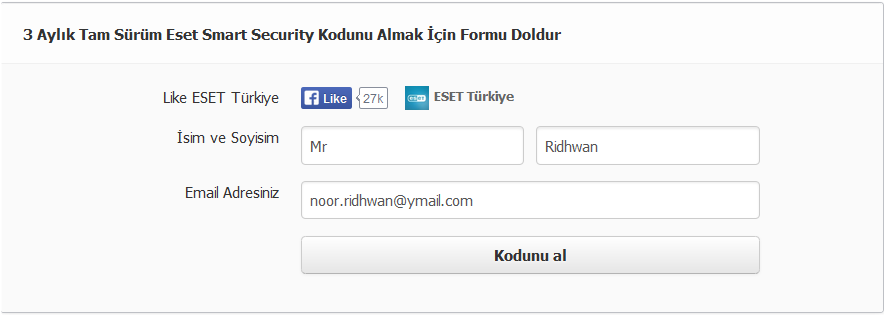
Step 2: Press “Like” button, scrolling down the page, enter your name, email then click “Kodunu al” button.


FREE 90 days of full ESET Smart Security 7


Step 3: Click “Okey” button to allow “Instant Win” work with your account 


Step 4: And get your license key

Enjoy with your license key!

Source: techtiplib.com


Bitdefender Mobile security Premium free 1 Year License

Bitdefender Mobile Security Premium will keep your Android device protected against viruses, without affecting your battery life. It works so seamlessly with Android, you’ll hardly know it’s even there!

Good news for Android users who wish to keep their device secure & safe, Bitdefender is offering a one year License  of Bitdefender Mobile security Premium (Android) free for over a limited time period.
Bitdefender Mobile security Premium or Bitdefender Mobile Security & Antivirus is a light weight security suite for Android devices that protects the device from both online & offline security threats with less impact on system battery.

Bitdefender Mobile security contains four tools or modules : Malware Scanner, Privacy Advisor , Web Security and Anti-Theft.

Bitdefender Mobile security Premium free 1 Year License


The Malware Scanner tool allows you to scan for malware or viruses and malicious apps on your Android, if the scanner detects any malware on your device, it will be listed and provides an option to remove or uninstall malicious apps. The option “Scan storage on mount” (re) scans your phone’s storage every time it is mounted, such as after it is connected to a computer or replaced.

Privacy Advisor gives you detailed info about what your installed apps are doing in the background without your knowledge. It even provides a score reviewing your application based on the danger level of their clues. If thr Privacy score is lower , it indicates there are some dangerous apps installed on your device that you should take care off.

When the Web Security tool is turned on, it will keep you safe against rogue/malicious sites and their traps while you browse the Internet, no matter what browser you use : chrome or default Android browser.
Whenever you access a site that contains phishing, fraud, malware or simply isn’t trusted, Web security module kicks in to warn you about it.

The Anti-Theft tool helps you to find misplaced phone or tab, when this module is activated you can remotely track your lost device and lock it or even prevent your sensitive data falling into the hands of bad by wiping your Android device.

Anti-theft tool module is categorized into two parts: Web control and SMS control. Through Web control, in case the device gets lost or stolen, you can use all the Anti-Theft features (remote locate, lock and wipe) from my.bitdefender.com and all you need is the PIN number that you created.

SMS control will work on Android phones or tabs with GSM hardware, for this you have to choose a ‘trusted phone number’ for the SMS command service. The trusted number will receive notifications when the SIM card in the phone is changed, and is also the only number allowed to issue the WIPE command through SMS. But make sure you enter the phone number along with country code , for instance in Indonesia you must start with +62.

For effective functioning of Bitdefender Mobile Security & Antivirus app, make sure bitdefender mobile security is fully configured:
1. Set up a password for Anti-Theft
2. Review the available SMS commands,
3. Use the mybitdfender console,
4. Test the call-me-back feature


Bitdefender Mobile security Premium free 1 Year License2

Bitdefender Mobile Security & Antivirus Free 1 Year license:

Note : Refer Update 2

To get a 180 day license of Bitdefender Mobile security Premium , just visit this Bitdefender one million install promo page, then enter your email address & captcha code .You will receive the license key worth $5 from Bitdefender with in a few minutes, copy the activation code.

Now install the Bitdefender Mobile Security & Antivirus on your device through Google play, launch the app and tap the ‘ upgrade to premium’ option, you will be forwarded to Google wallet for payment, cancel it.On cancelling the payment, you will be directed to apps ‘ Golbal settings’,  tap on “Extend Premium plan” and select the option I already have a key, then enter the license key you received.

Update :  The Promo has been re-launched, now this promotion will end on December 23, 2013.

Update 2 [February 25/2014]  : Above promo has expired, but now you can get one year license of Bitdefender Mobile security for free with German Facebook fan page, just visit this link  , then  hit the ‘Like’ button, enter your email address and click on the “kostenlose lizenz” button.

With in few seconds, you will receive a email from Bitdefender with the license code for the Mobile security , copy the license code  (Der Lizenzschlüssel ist) and get the app from Google play or from above link, then use the code as specified in update 1.

Tip: It seems the same license key can be used on many devices, I activated the app on 3 devices with the same code.


Bitdefender Mobile security Premium free 1 Year License3

Source: http://www.techno360.in

Saturday, 15 February 2014

BitDefender Internet Security 2014 Free

BitDefender Internet Security 2014 is a complete protection suite for your windows system, which has all PC protection functions tied together in one package, it includes : Antivirus, Anti Spam, Anti Spyware, Strong Firewall, and Privacy control.

Normally a one year license of this security product will cost around $60 (USD), but for now the security firm Bitdefender is offering $ 30 worth 6 month license of BitDefender Internet Security 2014 for free.If you are still using last year’s antivirus software, you’re at serious risk of being infected. It’s time to upgrade, avail this freebie from Bitdefender.

Before knowing about this free offer or giveaway from Bitdefender, I will provide a brief description about the functions of this security suite.With simple and easy to understand interface , BitDefender Internet Security 2014 offers protection against computer viruses, dangerous emails and prevents dangerous web threats that try to access your PC, furthermore it blocks inappropriate web-content or websites.


BitDefender Internet Security 2014 Free


Bitdefender Internet Security contains all tools to a safeguard your PC, the Antivirus engine protects you from Trojans, phishing and other threats from the Internet.Next the privacy module monitors social networks such as Facebook and Twitter , it will check your privacy settings and warns you about dubious content. The software provides a strong firewall that thwarts attacks  from network and alerts you when other apps installed on your system trying to access your network connection in suspicious manner.


The “SafePay” feature provides a secure web browser,  through this you can safely buy products  from online stores or do any other  online banking transactions.For Gamers and laptop users, the BitDefender Internet Security 2014 offers differnt modes of function, the game mode offers safe and gaming experience, in game mode the app prevents Firewall connection issues and disables resource-intensive processes. In Laptop Mode, the security suite tweak its settings to consume less battery. Other key features include : USB drive immuniser, Rescue Mode, Wallet module (password manager) and parental controls.

BitDefender Internet Security 2014 Free 6 Months License :


BitDefender Internet Security 2014 Free1


For this ‘Valentines Day’, Bitdefender is offering 6 month license of BitDefender Internet Security 2014 for free to its Facebook page fans. To avail this freebie all you need to do is visit this Facebook Promo page, hit ‘Like’ button and click on the ‘Survery’ button. Now answer 5 funky questions, find out which PC virus is your malware mate, then share your result and WIN a 6 months Bitdefender Internet Security license.
The License code will be sent your email address (facebook registered mail id) and you can download the installer (offline)from here: for 32-bit systems /64-bit systems.


Source: Techno

Friday, 22 November 2013

[Promo] AVG Antivirus Pro 2014 - AVG Internet Security 2014 - Free 1 year

Tuesday, 18 June 2013

Grab Free 1 Year License of AVG Internet Security 2013

AVG Internet Security 2013 is an award-winning protection suite for Windows that offers essential protection and protects your identity while doing tasks such as shopping, banking, browsing, email, and more. AVG IS 2013 also protects your personal data from hackers and delivers faster scan, PC start up and video streaming. It incorporates all the features of AVG AntiVirus 2013 to detect and protect your system against viruses, threats and other malware. AVG provides a 30-day trial for their products and 1 year subscription of AVG Internet Security 2013 costs $54.99.

AVG Internet Security 2013 Features -

Detects and stops viruses, threats and malware – Includes: AntiVirus, AntiMalware (AVG Resident Shield), AVG Anti-Rootkit, AVG Email Scanner, AVG Protective Cloud Technology, AVG Community Protection Network, AVG LinkScanner Surf-Shield, AVG Social Networking Protection

Stops unsecure links and files – AVG Online Shield

Prevents online spam and scammers – AVG Anti-Spam

Prevents spying and data theft – Includes: AVG Do Not Track, AVG Identity Protection, Anti-Spyware, AVG WiFi Guard

Stops hackers getting to your personal data – Ultimate protection for credit card numbers, bank details or other personal information. With AVG Enhanced Firewall

Helps ensure a smooth and fast running PC – AVG Turbo Scan, Game Mode, AVG Smart Scanner

Accelerates web experience with AVG Accelerator

Easy-to-action advice and alerts – Incudes: AVG Advisor, Easy Interface, AVG Auto-Fix, AVG Auto-Updates

To get Free 1 Year license of AVG Internet Security 2013, simply download the relevant installer from links below and install it.

http://www.avg.com/download-file-x86-triisc-huawei [32-bit]
http://www.avg.com/download-file-x64-triisc-huawei [64-bit

1


These are pre-activated standalone offline installer that works anywhere. The license key is integrated, hence you don’t need to input it manually. This 1 year trial of AVG provides a free subscription of 374 days with full functionality. Enjoy. 

Note: This might not work if you’ve earlier activated a trial copy /key of AVG IS 2013.

Monday, 11 March 2013

Gratis Lisensi Promo AVG Antivirus 2013 Valid 1 Tahun

Pada kesempatan kali ini, saya mau membagikan info promo terbaru dari AVG Antivirus 2013. 


Gratis Lisensi Promo AVG Antivirus 2013 Valid 1 Tahun


Untuk diketahui, AVG menyediakan beberapa versi Antivirus untuk home user, yaitu:
  1. AVG AntiVirus FREE 2013 Perlindungan Esensial. Mudah digunakan.
  2. AVG AntiVirus 2013 Perlindungan Mutakhir. Mudah digunakan.
  3. AVG Internet Security 2013 Perlindungan Paling Unggul. Melindungi PC dan identitas online

Di antara ketiga versi tersebut diatas, tentu saja versi ketiga lebih unggul dan lengkap fiturnya. Untuk lebih jelasnya silakan lihat di halaman perbandingan fitur versi AVG antivirus di bawah ini:

Perbandingan AVG Antivirus versi Free 2013 dengan AVG Internet Security 2013 bisa dilihat di halaman ini.

Sedangkan perbandingan AVG Antivirus 2013 dengan AVG Internet Security 2013 bisa dilihat di halaman ini.

Dari perbandingan tersebut, AVG Antivirus 2013 cukup memberikan kenyamanan dan keamanan dengan fungsinya yang dapat: 
  1. Mendeteksi dan menghentikan virus, ancaman dan malware, Perlindungan hebat dan mudah digunakan yang diperlukan semua orang
  2. Mengunduh dan bertukar file dengan aman, Kami memeriksa apakah file aman sebelum Anda mengekliknya
  3. Memblokir virus pesan instanKami memeriksa apakah tautan aman sebelum Anda mengekliknya

Oleh karena itu, kesempatan mendapatkan lisensi AVG Antivirus 2013 dengan resmi patut untuk tidak disia-siakan, terlebih bagi yang belum mempunyai Antivirus di komputer atau laptop nya. Juga mumpung ini promosi sehingga lisensi didapat dengan gratis, apabila kita membeli AVG Antivirus 2013 maka harus mengeluarkan uang senilai Rp. 276.100,- Lumayan kan?

Untuk mendapatkan lisensi promo dari AVG Antivirus 2013, silakan kunjungi halaman ini (bagi yang sudah terdaftar)

Bila yang belum terdaftar , buatlah akun dengan cara registrasi di alamat ini

Setelah proses registrasi selesai, tidak berapa lama kita akan menerima email berisi link untuk aktivasi akun.
Klik pada link itu atau copy link tersebut pada browser dan enter.

Maka dengan segera, kita akan dibawa ke halaman download AVG Antivirus 2013. Download dan Install. Scroll ke bawah halaman dan ikuti petunjuk yang diberikan untuk mendapatkan lisensi resmi AVG Antivirus 2013 yang valid berlaku untuk 1 tahun. Semoga bermanfaat. 


Monday, 25 February 2013

Cara Mudah Mencegah Penyebaran Virus dari USB Flashdisk

USB Flashdisk bisa jadi adalah sesuatu yang penting untuk menunjang aktifitas kita yang mobile. Dengan USB Flashdisk kita bisa berbagi share berbagai data atau file dengan teman-teman. Sayangnya USB Flashdisk bisa menjadi alat perantara penyebaran virus dari komputer satu ke komputer lainnya. Tidak terkecuali komputer teman kita atau bahkan komputer laptop kita sendiri. 

Lalu bagaimana cara agar USB Flashdisk kita aman dari virus? Diantara cara untuk mencegah virus masuk ke USB flashdisk kita adalah dengan menggunakan software antivirus khusus USB Flasdisk. Dengan kata lain di USB harus diinstall antivirus untuk USB itu. Cuma biasanya Antivirus khusus USB ini tidak gratis, alias kita harus membeli agar dapat menggunakannya.

Nah, di sini saya mau berbagi tentang alternatif selain menggunakan antivirus untuk melindungi komputer dari aktifitas USB Flashdisk yang mungkin berbahaya. Pilihan lain itu adalah kita menggunakan software yang namanya adalah Phrozen Safe USB.

Cara Mudah Mencegah Penyebaran Virus dari USB Flashdisk


Software Phrozen Safe USB ini ukurannya relatif kecil, kurang dari 1 Mb, sehingga sangat mudah kita downoad. Walaupun kecil, software ini dapat mengontrol USB Flashdisk kita dengan 3 mode utama yaitu:

Fully Operational Mode (FOM): Ini penggunaan normal untuk USB Storage devices (Flashdisk) , kita dapat melakukan copy, modify, move atau menghapus/delete file

Cara Mudah Mencegah Penyebaran Virus dari USB Flashdisk  1


Read Only Mode (ROM): Dengan mode ini kita hanya dapat membaca isi USB Flashdisk. Sehingga virus tidak dapat menggandakan dirinya dan menyebarkan virus di komputer kita. 

Cara Mudah Mencegah Penyebaran Virus dari USB Flashdisk  2


Disabled Mode: Pada mode ini, kita tidak dapat melihat USB Flashdisk, USB Flashdisk hilang,  atau istiahnya stealth mode. Sehingga dengan ini, tidak ada pertukaran data atau konten yang berbahaya dari dan ke komputer melalui USB Flashdisk.

Cara Mudah Mencegah Penyebaran Virus dari USB Flashdisk  3


Itu yang kira-kira saya fahami dari penjelasan di situs penyedia software ini. Penasaran ingin mencoba? Atau ingin tau lebih lanjut tentang software untuk mengamankan USB Flashdisk? Silakan download software nya di alamat ini. Penjelasan software bisa dilihat di halaman ini.

Semoga bermanfaat ya.

Wednesday, 20 February 2013

Lisensi Promo Panda Internet Security 2013

Bagi yang kemaren belum kebagian lisensi gratis (biasanya lisensi promosi) Antivirus, nah sekarang ada lagi lisensi yang bisa Sobat dapatkan dengan gratis (free license). 

Kali ini Antivirus Panda yang berbaik hati memberikan lisensi gratis pada kita. Panda Security menggratiskan lisensi key untuk dua produk software antivirus nya yang valid hingga 180 hari atau 6 bulan lamanya. 


Panda Antivirus Free 6 month


Dua antivirus itu adalah: Panda Internet Security 2013 dan Panda Antivirus Pro 2013 dengan masing-masing lisensi sebagai berikut:

Free license Panda Internet Security 2013 gunakan serial key : IS13PVIP98464226.
Free license Panda Antivirus Pro 2013 gunakan serial key : AP13PVIP98464224

Atau selengkapnya dengan link download bisa dilihat di halaman ini.

Selamat menggunakan ya. Tidak apa-apa "cuma" 6 bulan, yang penting Asli, nanti sebelum masa aktif berakhir, cari lagi lisensi gratisan yang resmi. OK

Tuesday, 19 February 2013

Update Manual Antivirus Saya

Antivirus adalah software yang "harus" ada di komputer untuk mengamankan, mendeteksi, dan menghapus virus komputer dari sistem komputer. Bukan hanya virus, tetapi aneka aplikasi dan threat berbahaya lainnya pun dapat diblokir, dikarantina atau dihapus sekalian dari sistem komputer kita.

Namun untuk dapat menjalankan fungsinya dengan baik, sebuah Antivirus harus selalu diupdate secara teratur (reguler). Jika tidak diupdate, kemungkinan virusnya lebih hebat dari antivirus yang ada bisa saja terjadi. Oleh karena itu update antivirus adalah keharusan.

Update Manual Antivirus Saya

Sekarang ini banyak program antivirus melakukan update otomatis manakala komputer laptop kita sudah terhubung dengan internet. Atau istilahnya adalah update antivirus secara online. Persoalan yang bisa terjadi adalah kadangkala sistem windows kita tidak bisa terus menerus terhubung ke internet, atau ketika akan melakukan update online, suka terputus atau gagal. Untuk ini solusi update antivirus yang bisa dilakukan adalah dengan update manual antivirus.

Selanjutnya, kita tinggal download database antivirus sesuai yang kita miliki, lalu melakukan update manual. Dan berikut adalah daftar alamat link download update manual untuk beberapa antivirus yang terkenal. Barangkali salah satunya adalah antivirus Anda (juga saya tentunya). 

Semoga bermanfaat.